i.
Phrase parser
Subtitles split into native chunks, with grammar patterns marked when they change how the line should be read.

A Chrome overlay for Chinese learners watching Netflix and YouTube. Míngbai groups subtitles into the chunks native speakers actually read — phrase-first, not character by character.
Chinese comprehension often depends on chunks: time phrases, result complements, fixed expressions and grammar patterns. Míngbai starts with those chunks, then lets dictionary meaning, translation and explanation sit underneath.
Want the deeper reasoning? Read the full essay: Why phrase-first →
Fluent readers follow subtitles in phrase chunks, not isolated characters. As Míngbai keeps those chunks intact, the grammar pattern becomes visible — here, shown in purple.
Phrase-grouped Chinese subtitles sit with the video, with toggles for phrase separators, pinyin, Traditional / Simplified script, and English subtitles. Meanings and on-demand AI notes stay in the side panel. Hide the overlay at any time to return to the original player view.
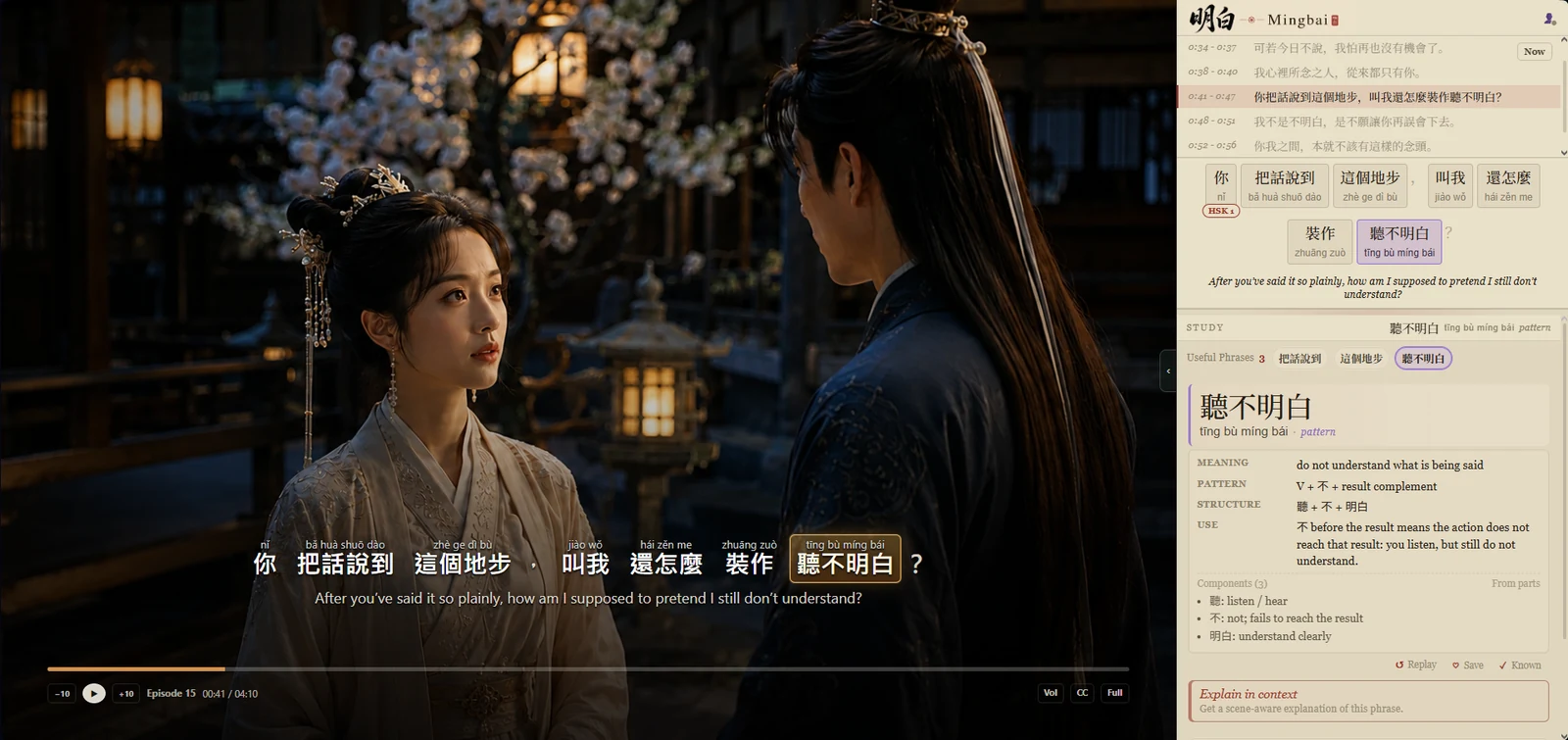
Most subtitle tools blur lookup, translation and explanation together. Míngbai keeps each layer distinct so you can watch first, then inspect only when needed.
Subtitles split into native chunks, with grammar patterns marked when they change how the line should be read.
Pinyin, HSK level and compact meaning appear when you select a chunk, without breaking the sentence.
A readable English line sits under the structure, not instead of it.
When you want more depth, request an on-demand AI note for culture, register or grammar nuance.
Míngbai is primarily for learners who can recognise words, but still lose the sentence before the next subtitle replaces it.
Roughly HSK 3–6, or anyone past textbook sentences and into real media.
You can hear a lot, but want clearer structure, pinyin and reusable chunks.
Especially useful for Netflix and C-drama lines where meaning sits in phrasing.